Change an Order
To change an order or quote, find it on the Your Orders page and click the order number to make changes. Once an order has gone into shipping it can no longer be changed.
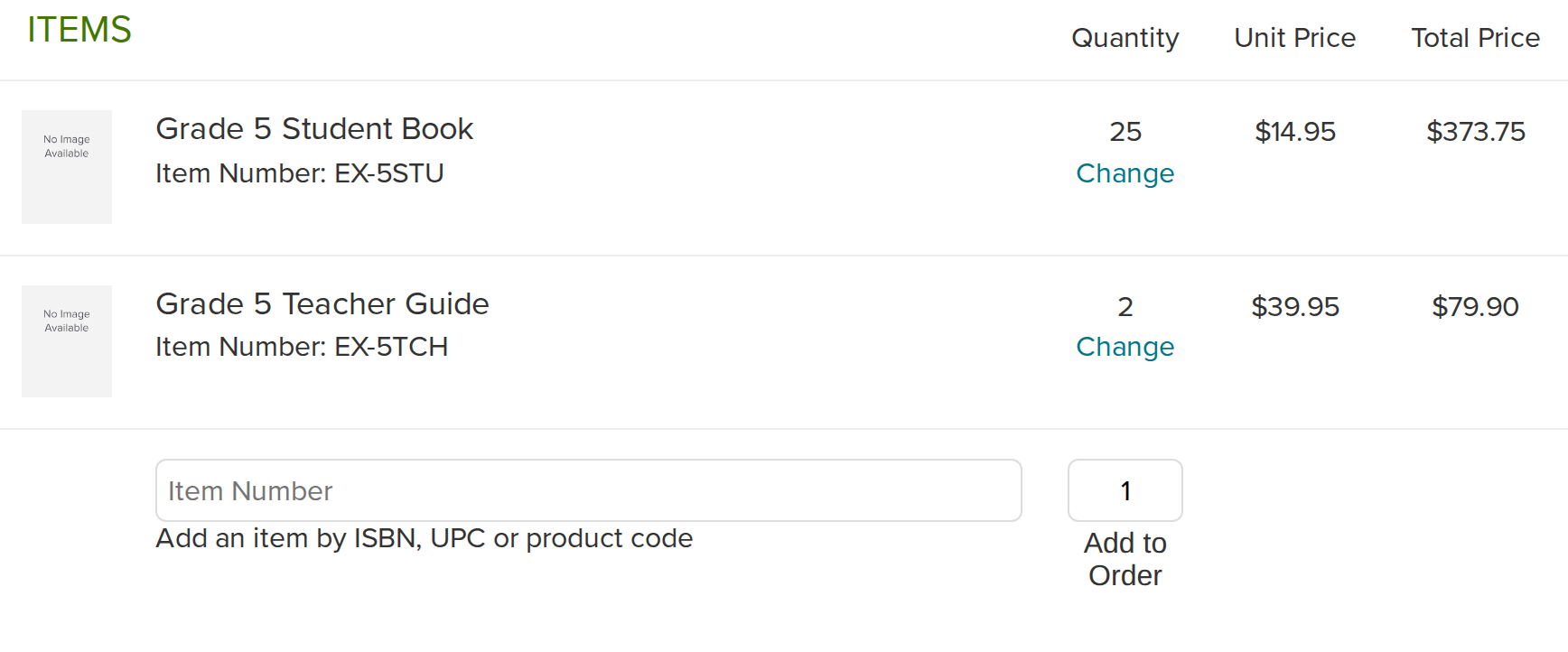
Add an item to an order
Use the box at the bottom of the item list marked Add an item by ISBN, UPC or product code: type the code, choose how many and press Add to Order (Add to Quote on a quote). If the item is already there, use Change instead. Orders paid by credit card can't be changed.
Change quantities or remove items
Click Change next to the quantity, type the new number and press Save. Setting it to 0 removes the item. A free item has no Change link: its quantity follows the items that earned it. If some of that item has already shipped, the line says how many: set the quantity to that number to keep what's on its way and drop the rest. Orders paid by credit card can't be changed.
Cancel an order
Cancel this order (Cancel this quote on a quote) is at the bottom of the page, and asks you to confirm first. To cancel part of an order, change that line's quantity instead.
Turn a quote into an order
Press Convert Quote to Order at the bottom of the quote. It becomes an order at the prices you were quoted.
Attach a tax exempt document
An order showing tax has a Tax Exemption box: attach the tax exempt document and press Upload, and we'll take the tax off before it ships. A quote showing tax has the same box. See Tax Exemption for more info.
Pay by card
Orders under $800 can be paid by credit card. Click Add Credit Card Information.
Pay with a credit on my account
Tick the credits you want in the Apply My Credit box and press Apply Credit. Unused credit stays on your account, and canceling the order gives it back. You can still change quantities and add items afterwards; the credit follows the new total. See Billing & Payment.